Attendify
Automated School Attendance & Parent Alert Ecosystem
A full-stack, multi-platform attendance management system designed to streamline school operations. Teachers log attendance via a React Native app, administrators monitor progress and analytics on React 19 dashboards, and a Chrome Extension automates WhatsApp Web to dispatch free daily alerts.
Ecosystem Architecture & Security
Attendify was constructed to solve costly API message distribution issues. By leveraging an automated chrome service worker client that maps messaging queues locally, it delivers instant school notifications without subscription overhead.
App & Web Stack
React 19, React Native, Vite 8, React Router 7, Tailwind CSS v4, Recharts, SheetJS (xlsx)
Storage & Automation
Firebase Auth & Firestore, Chrome Extension Manifest V3 (Javascript), LocalStorage Queue API
Core Core Features
- 01Teacher Mobile App: React Native client designed for class attendance checks and quick logs.
- 02Administrative Dashboards: Full analytics interface for class tracking and statistics.
- 03Manifest V3 Alert Dispatch: Automates Whatsapp Web to send alerts without incurring API billing.
- 04Bot Avoidance Engine: Anti-ban throttling with simulated human click events and randomized pauses (8-15s).
Ecosystem Workflow
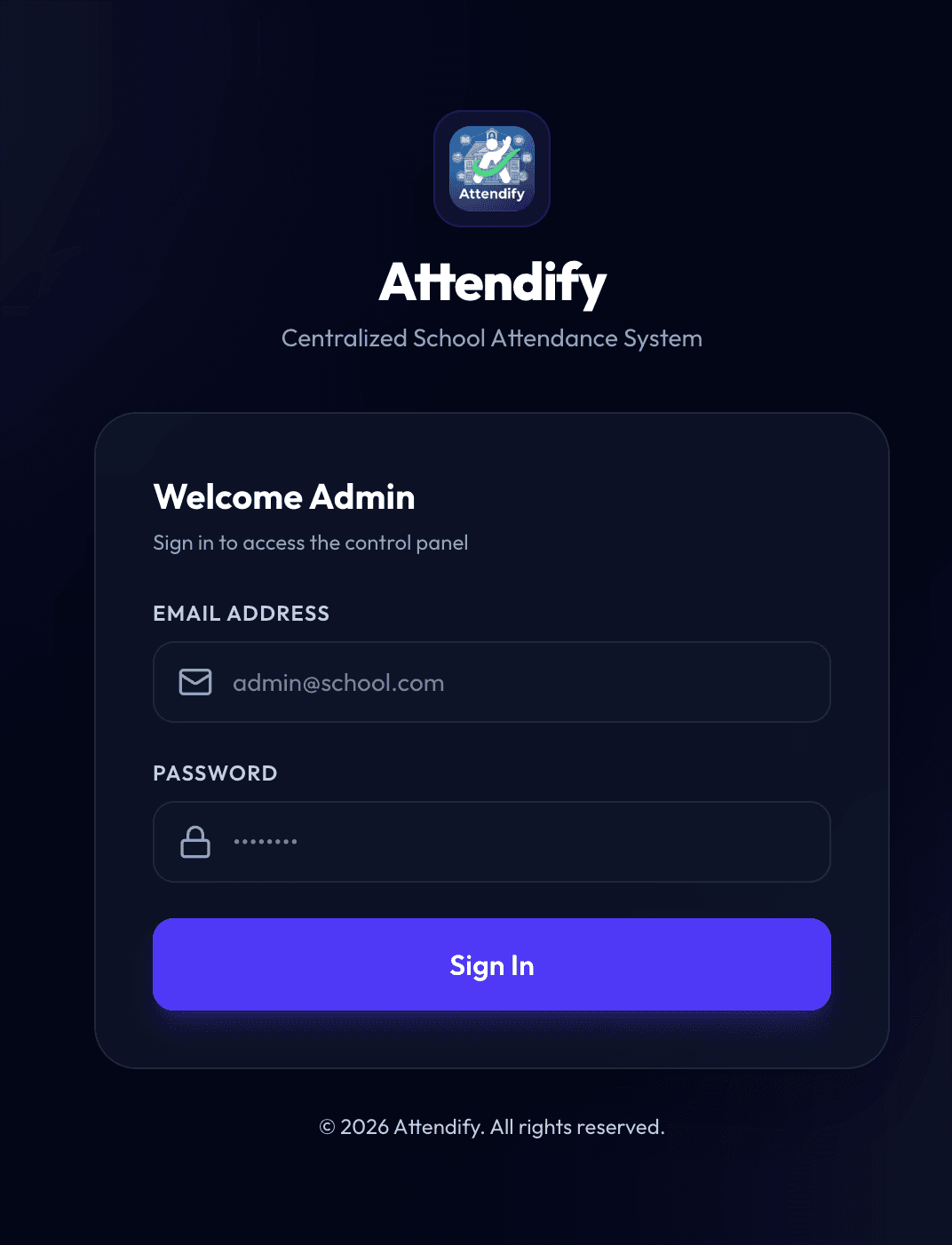
Admin Login Portal
Secure gateway for administration roles. Access is authenticated via Firebase Auth and validated with real-time Firestore listeners to block unauthorized users instantly.
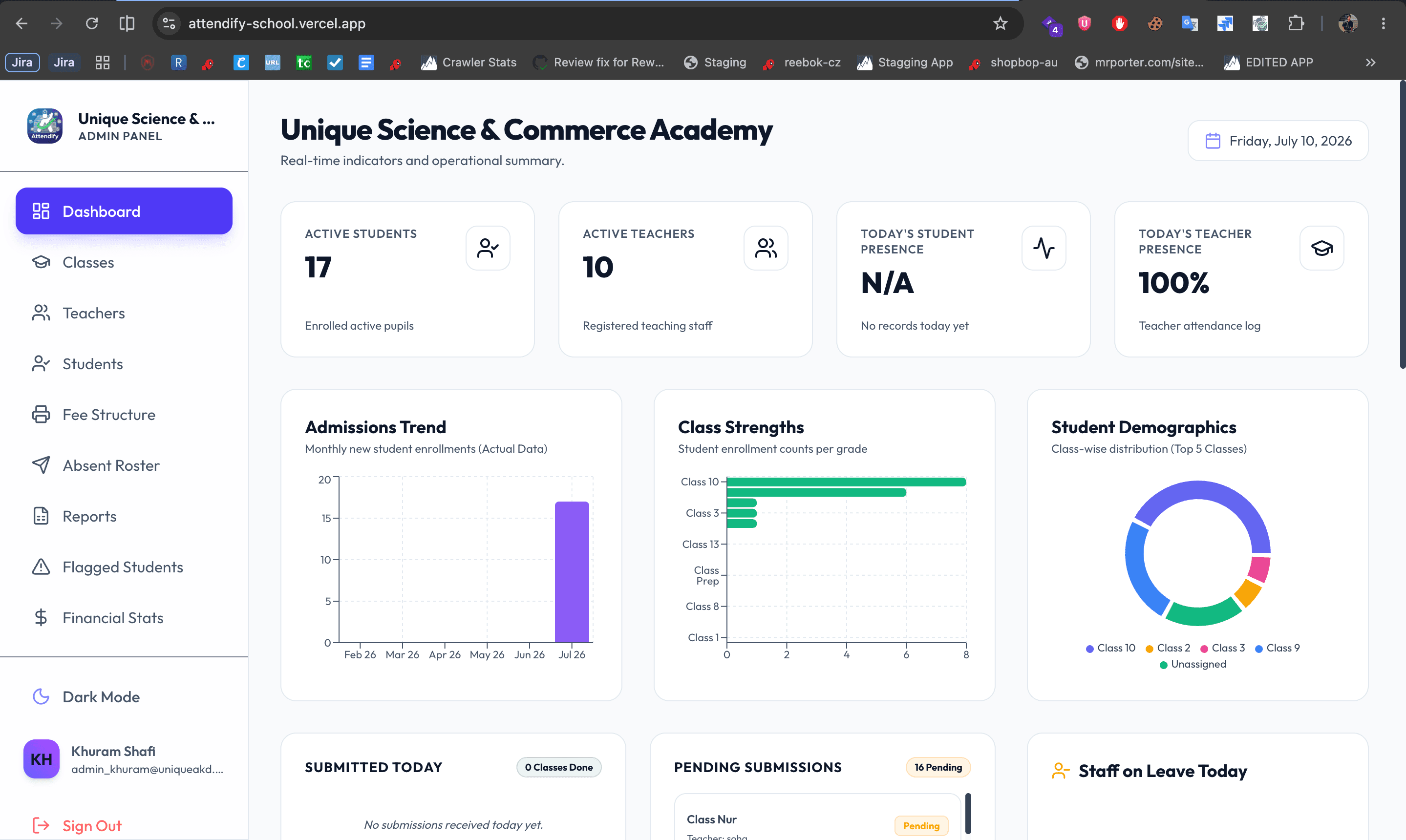
Dashboard Overview
An administrative panel showcasing dynamic class statistics, student enrollment numbers, teacher logs, and overall school attendance percentages using Recharts modules.
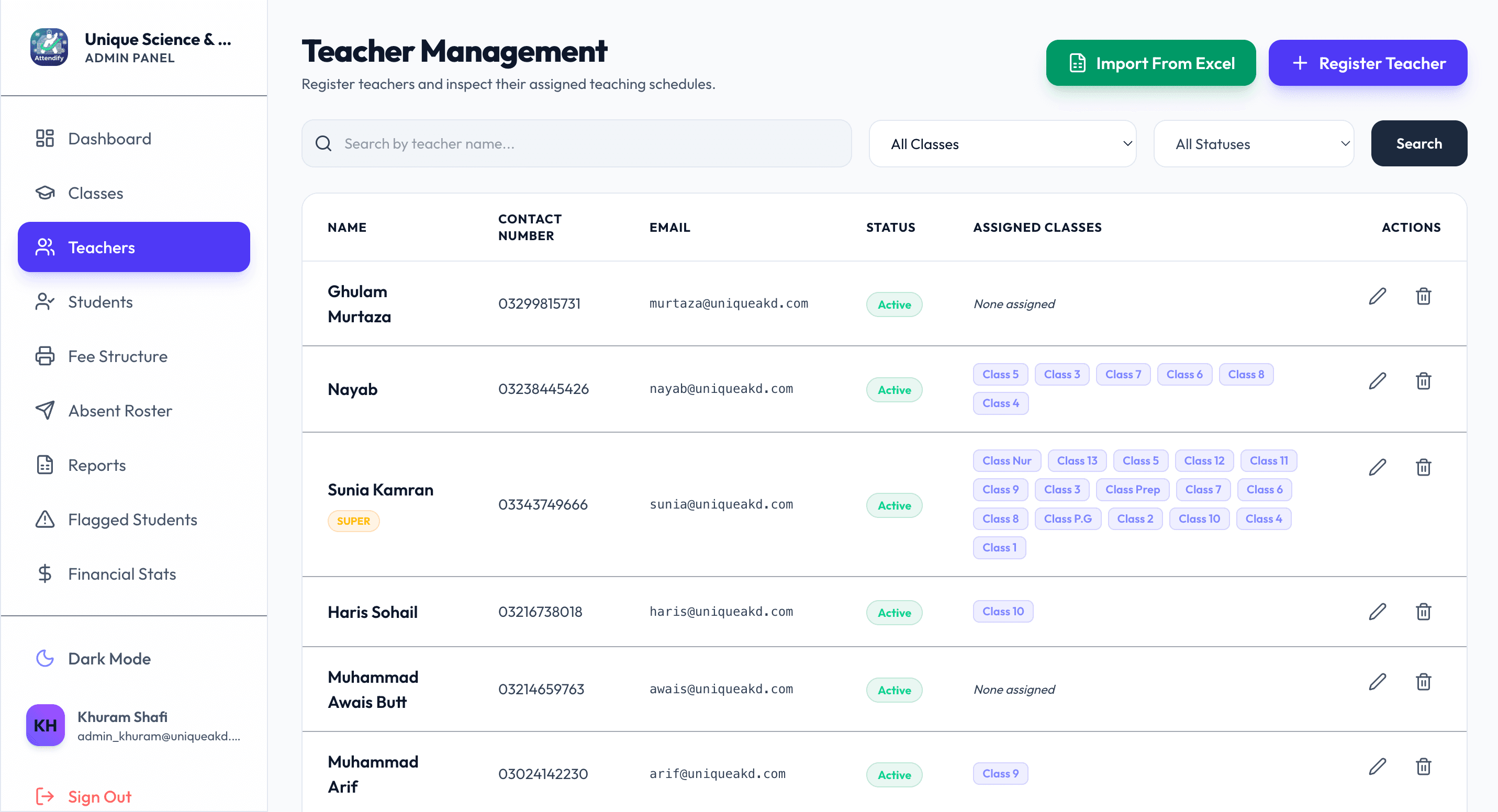
Teachers Management
Interface allowing administrators to monitor teacher statuses, assign classes, and log daily activities. Keeps records structured and synchronized across all portals.
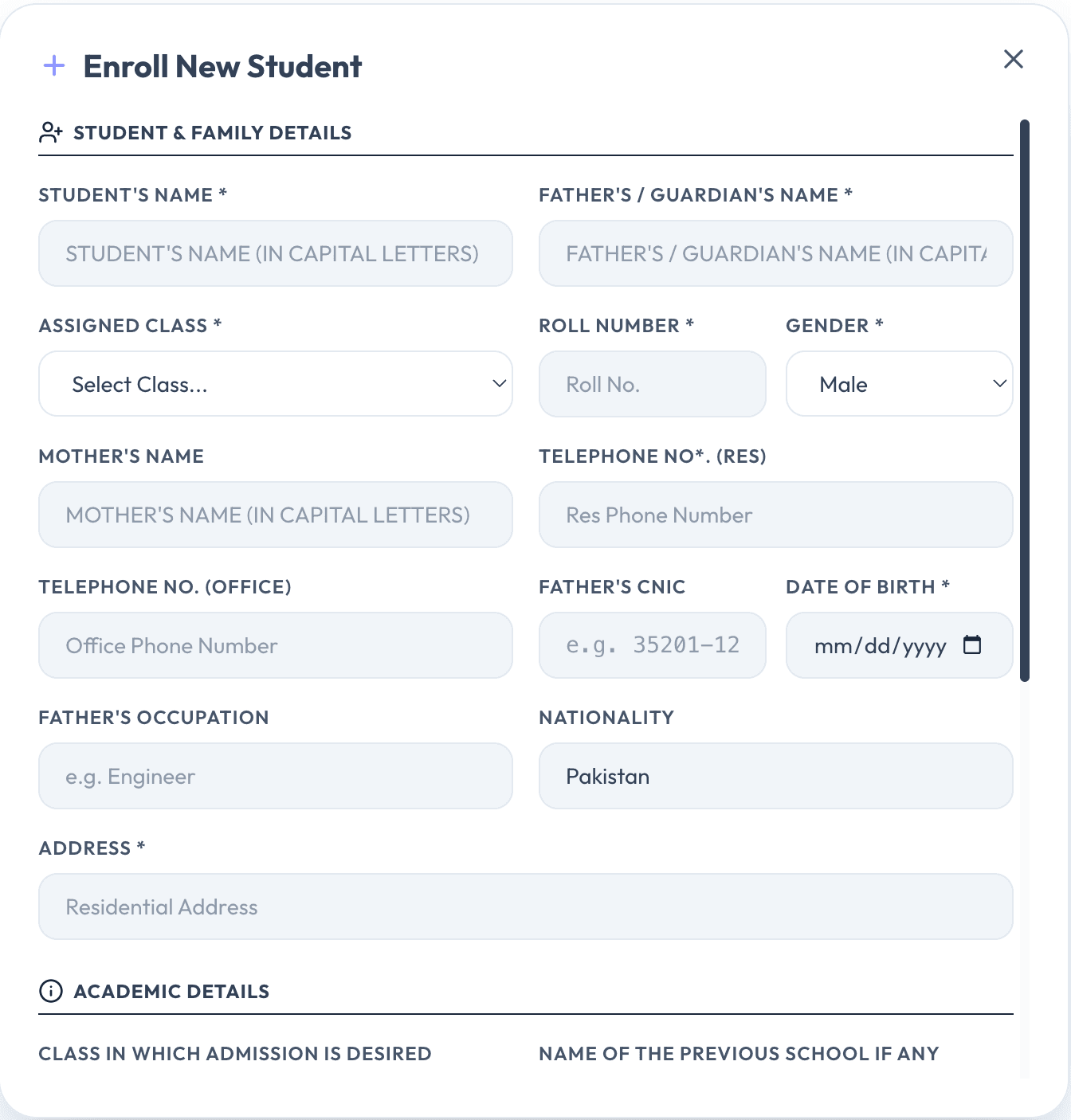
Student Enrollment
A specialized form view for registrar operations to input student data, upload photographs, and allocate class sections.
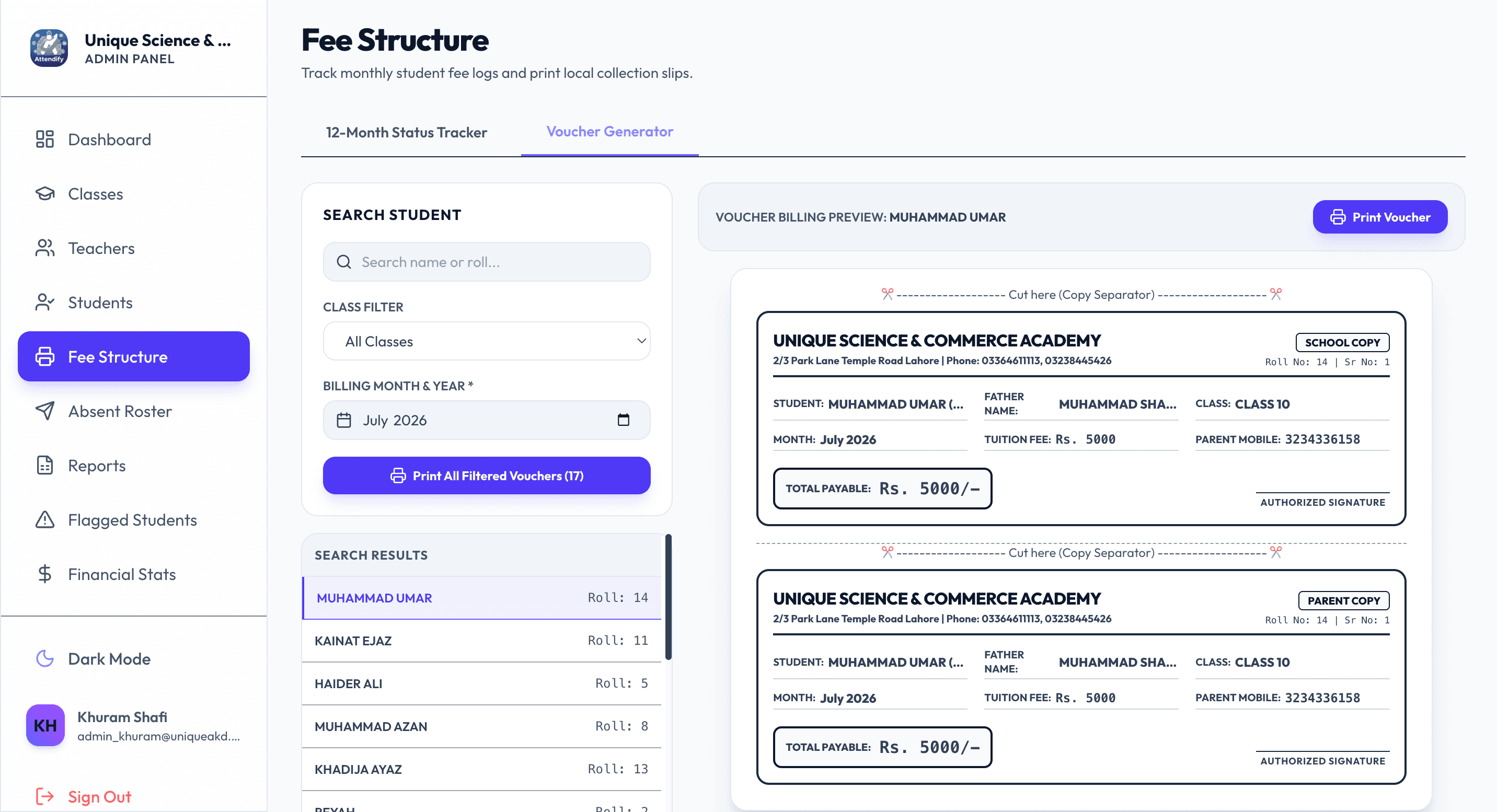
Fee Voucher Generation
Dynamic voucher and class ledger generator. Instantly calculates fee structure outlines and creates spreadsheet ledgers for administrative auditing.
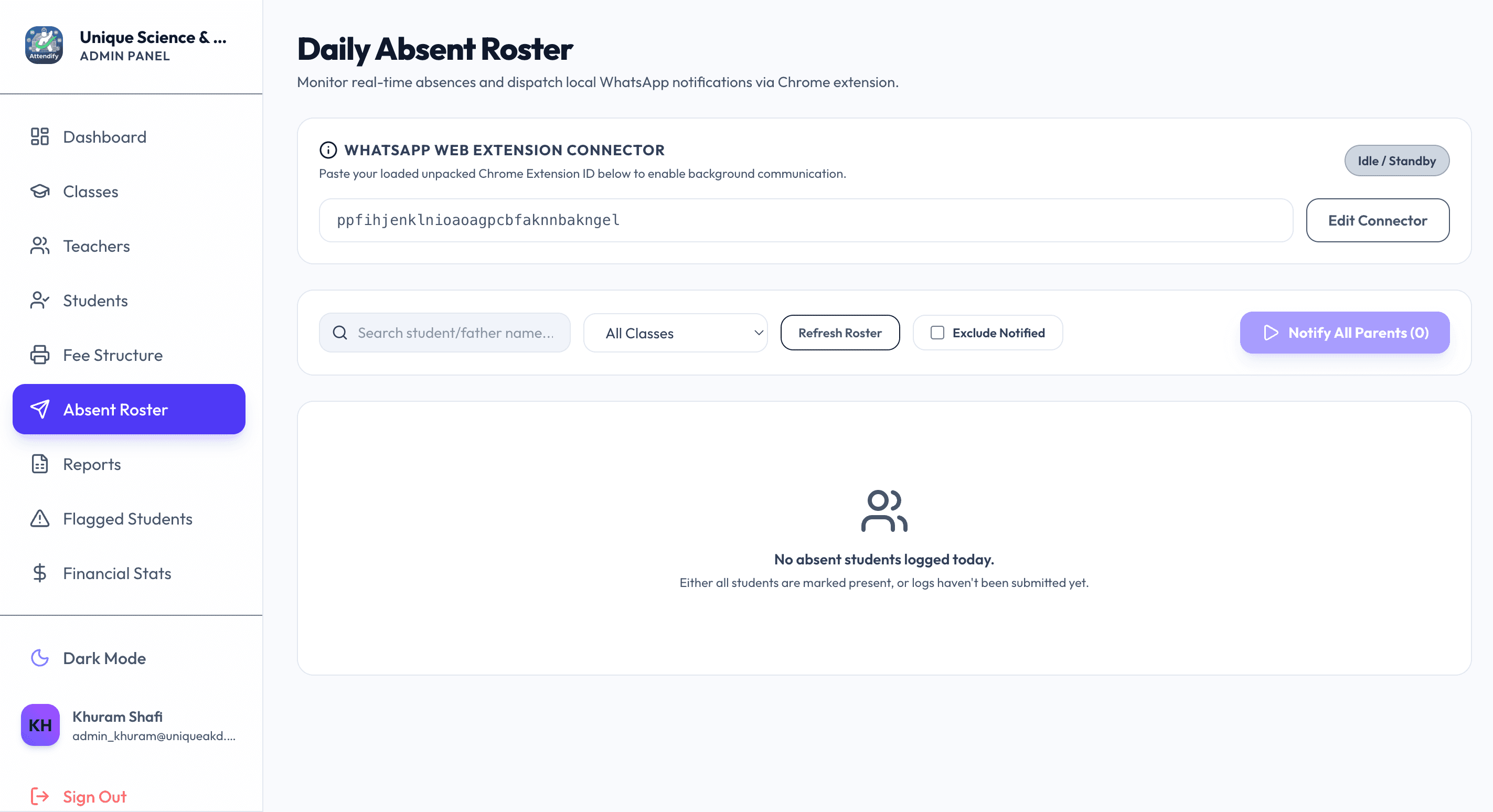
WhatsApp Automation Console
Dashboard panel where absence data queues. Features buttons to prompt the background Chrome Extension to initiate transmission, updating queue logs in real-time.
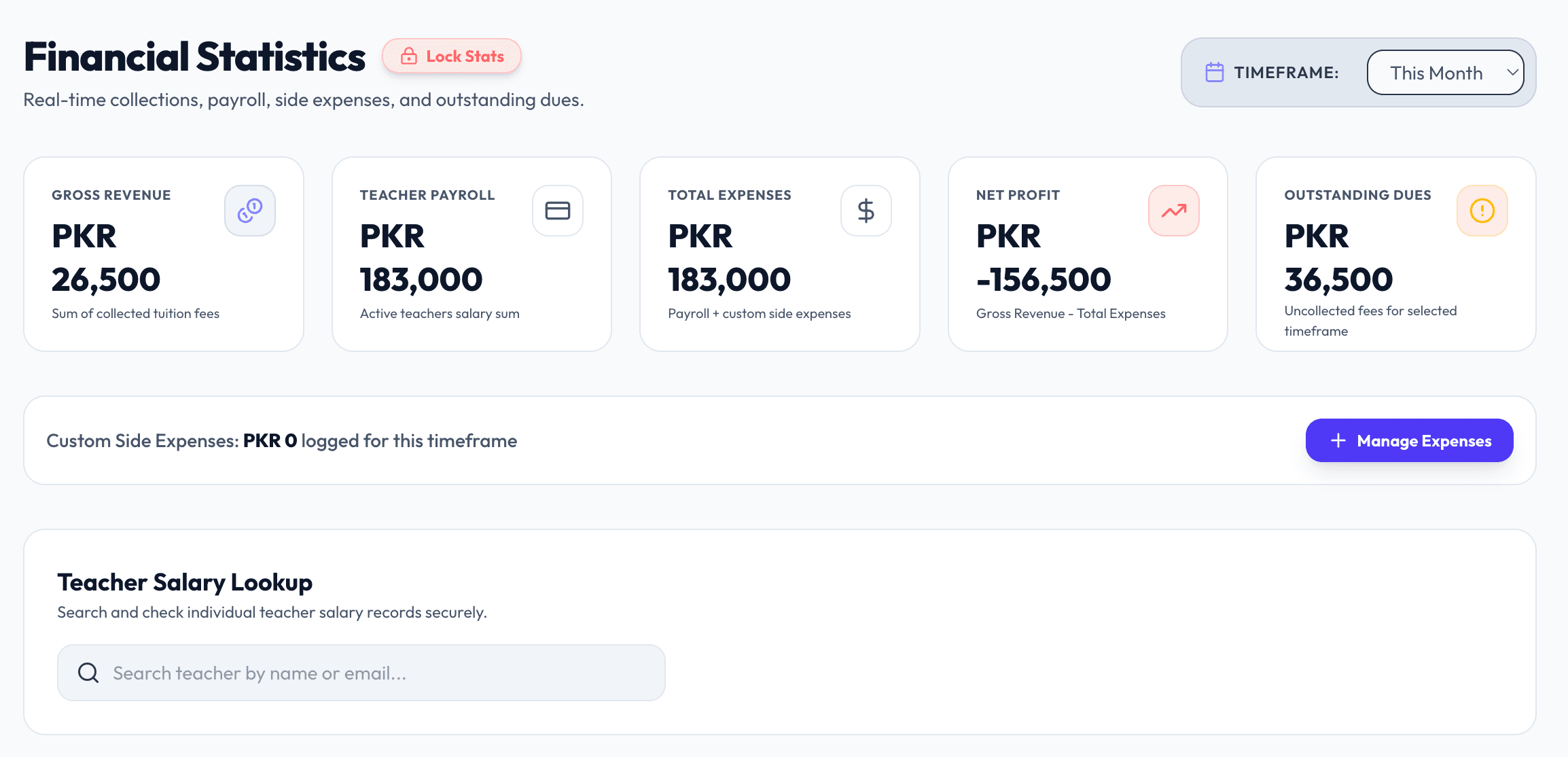
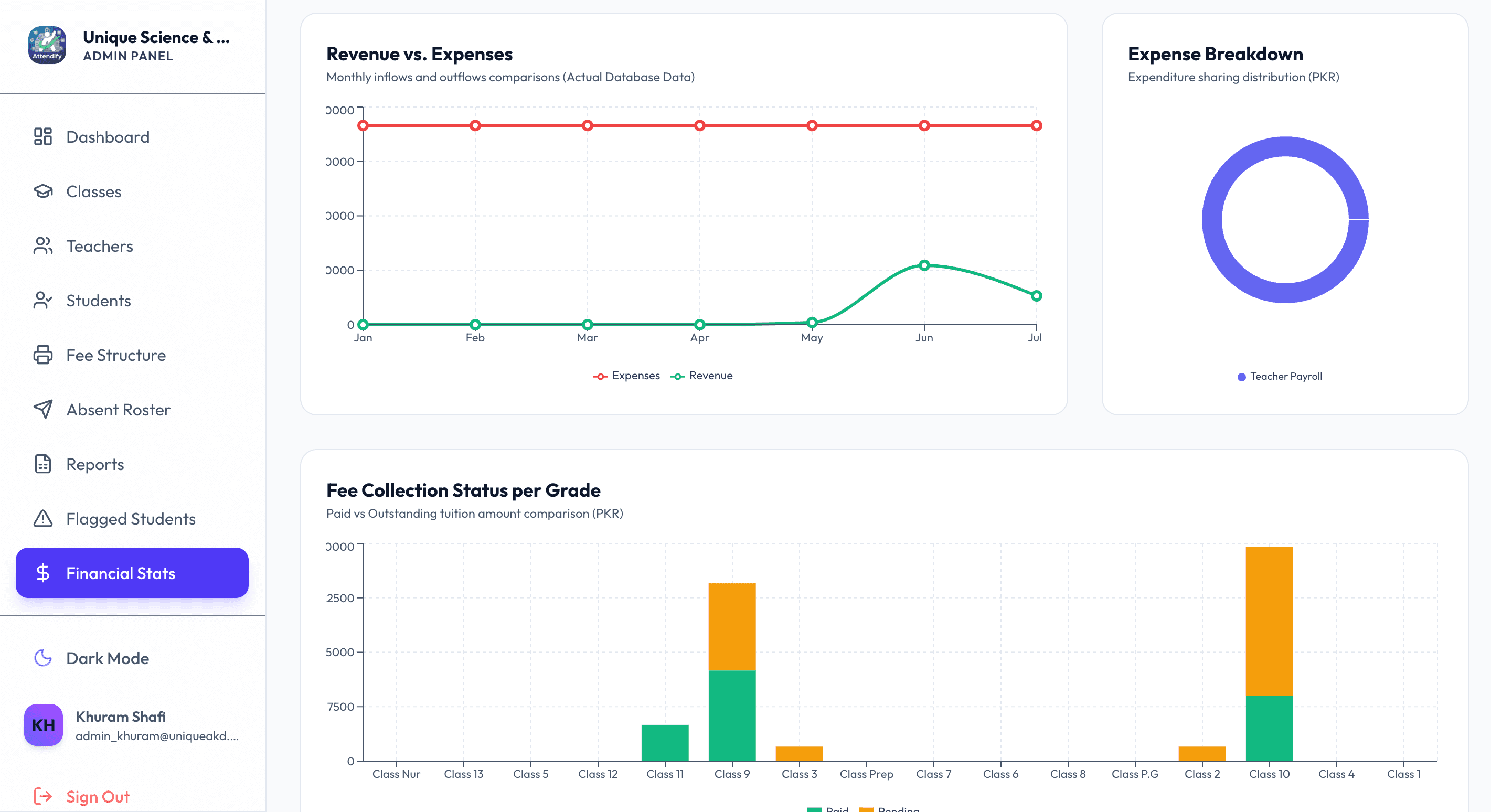
Financial Stats & Graphs
School income and expense logs visualized in graph models to track transactions, budgets, salaries, and active ledgers.
Teachers Mobile App
The mobile-first features allow teachers to manage rosters, check live subject student grids, register class attendances, and submit casual leaves.
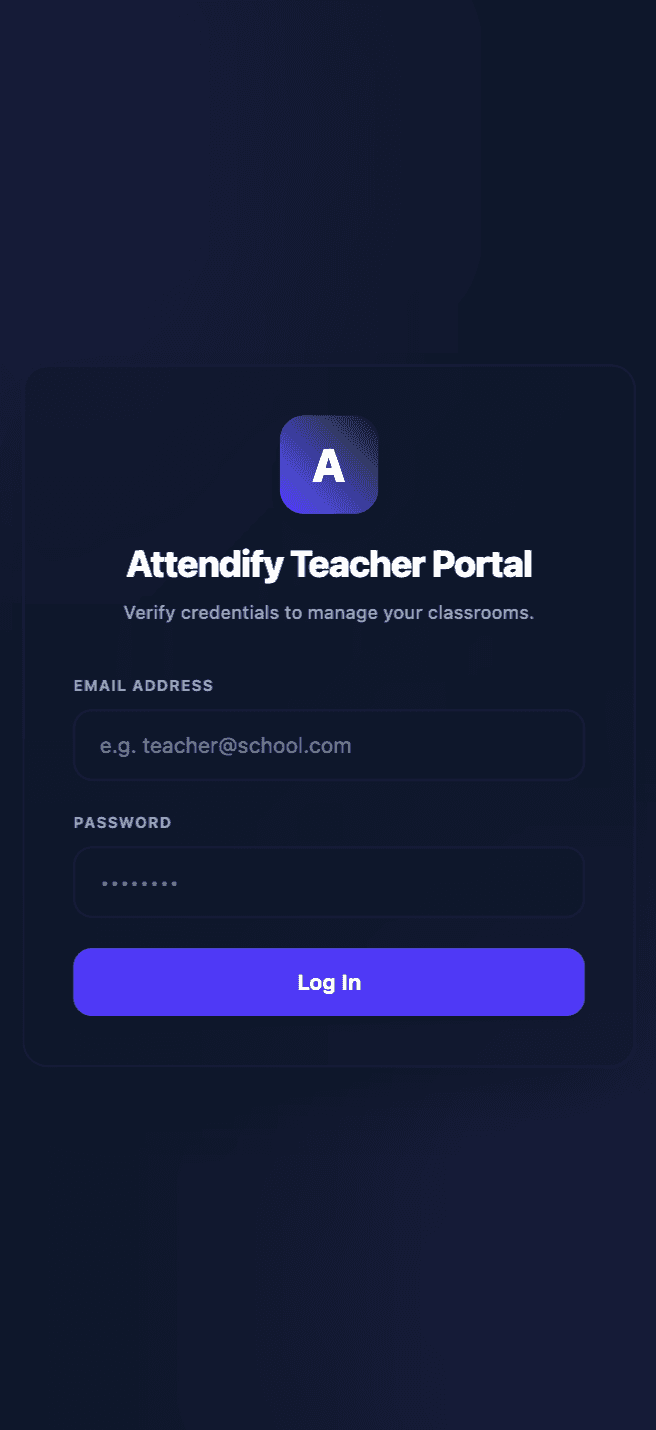
Teachers Login
A secure and efficient entry point for classroom staff to access school logs.
- Secured via Firebase Authentication filters.
- Sessions save locally to bypass repeated credential input.
- Disabled administrative credentials instantly revoke access.
Assigned Classes
Lists active sections and class subjects assigned to the logged-in teacher.
- Updates immediately based on course registers.
- Direct access to student profiles and historic attendance logs.
- Supports offline caching to allow check-ins during connection drops.
Students Attendance
Teachers mark classroom check-ins, tracking presents, absents, and late arrivals.
- Registers check-ins instantly into remote sync servers.
- Triggers automatic parent alert queues for absent students.
- Logs exact teacher timestamp offsets for classroom accountability.
Apply Leave Requests
Allows teachers to submit causality, medical, or holiday leave forms from their app client.
- Logs details directly into Admin dashboard approval feeds.
- Supports image uploads for doctor notes or casual certs.
- Active socket pipelines push request updates back to teachers in real-time.
Interactive Device Display
Security & Anti-Ban Architecture
Handling Web Automation
The AI suggested simulating a full browser event loop using custom MouseEvents (mousedown -> mouseup -> click) to trigger actions on React-managed inputs. It also built a 35-second load watchdog that auto-skips stalled tasks.
Bypassing Bot Flags
The AI designed a randomized delay generator (8 to 15 seconds) matching organic typing times. This queue runs as an offline background service, freeing up teacher hardware resources.
End-to-End Security Architecture
Restricted communication bridge permissions were locked to localhost and verified production domains, preventing malicious script injections into the Chrome automation pipeline.
Stateful Queue Optimization
Managing message status states across unstable browser sessions required storing the active queue within chrome.storage.local. A background service worker state machine restarts transmission smoothly after tabs refresh or recover from network timeouts.